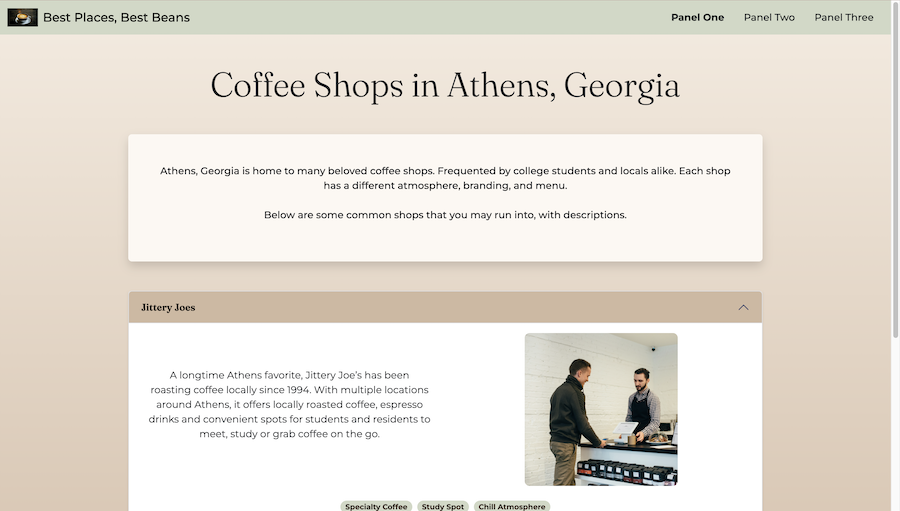
Panel One Reflection
In building Panel One, I gained hands-on experience using Bootstrap utility classes to control my layout, editing Bootstrap components (specifically accordions, badges, buttons, and the navbar), and writing custom CSS alongside Bootstrap to personalize my site. I had only minor experience with navbars and accordions before this project, but here I took it a step further by learning to edit their appearance and add my own classes. To go above and beyond, I added an active class to Panel One in the navbar so users know which panel they are on, an idea I got after noticing it in the theme I downloaded for Panel Two. I also added a button under the badges inside my accordion that links to each coffee place’s website and changes color on hover, and I wrote a media query in my custom CSS so images shrink on small devices instead of taking up the whole screen on mobile. Other small design details I’m proud of include a shadow around the intro box so it stands out against the background, a subtle gradient in the page background, and accordion headings that change color when opened, along with a color palette and Google Fonts that feel cohesive and laid back, which was the aesthetic I was aiming for. I also experimented with adding comments to organize my code, which kept sections from blurring together, and I plan to keep doing this in future projects. My main struggle was knowing whether something needed custom CSS or a Bootstrap utility class. I understand the difference much better now, though I still don’t know everything Bootstrap’s imported stylesheet offers. I also struggled with keeping the images inside my accordion consistently sized, which I solved by adding a class with custom CSS instead of editing each photo individually, and with my accordion breaking because of misplaced closing tags. Whenever I added an element and some of the accordion nested underneath it, I learned it was because I hadn’t closed that element’s div tag, and this gave me a much deeper understanding of why div tags matter. In the future, I want to better understand Bootstrap’s grid system. I used rows and columns inside my accordion to format the images and text, but it’s still a topic I need to wrap my mind around further, and I think working on the next two panels will help with that.
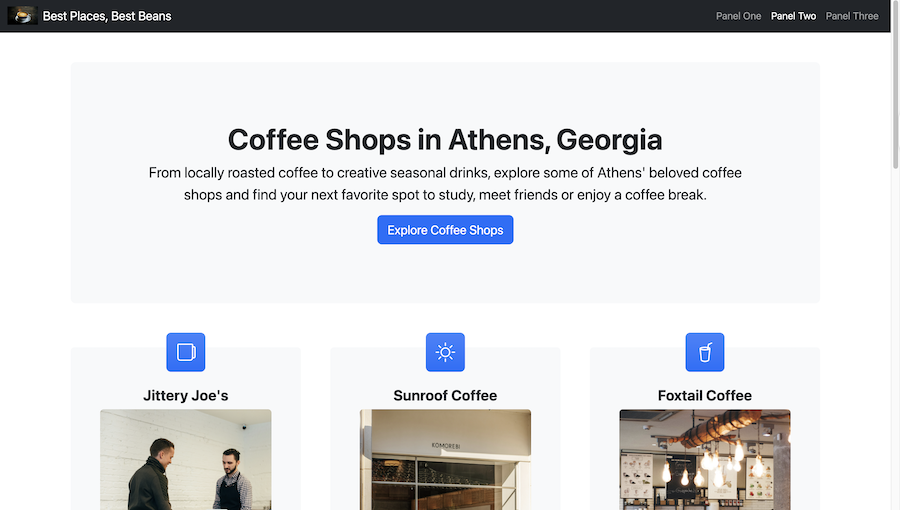
Panel Two Reflection
When working on Panel Two, I reinforced my ability to download a template, unzip it, and add it to another folder, as well as transfer the image assets from my first panel into this one. Another skill I picked up was using Bootstrap Icons to swap out the icons in the blue boxes above my cards so they relate more to coffee and coffee shops. Beyond that, I can’t think of anything else new that I encountered. To go above and beyond, I made minor edits to the template’s HTML to add sections that fit my content, such as a place in the footer for my image credit links, and I was proud to find a template that fit my content well and import it properly. My main challenge was bringing in the content from Panel One without compromising the template’s structure. Because of that, I tried not to adjust too much so I could wait until Panel Three to merge Panels One and Two together. I also had an extra card box that I decided to put some copy in about finding your coffee spot, instead of adding another coffee shop. In the future, I want to learn how to import templates from other websites and how to tell whether an updated version of a template will work with Bootstrap’s current version.
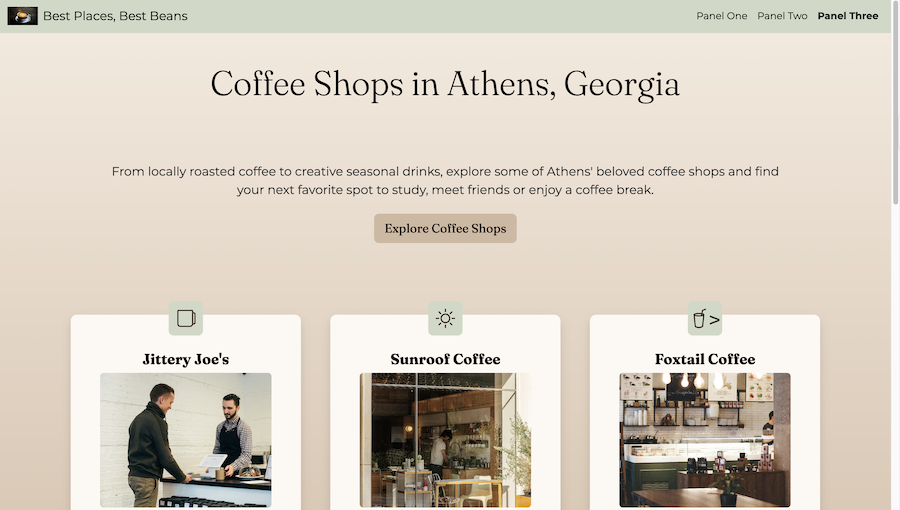
Panel Three Reflection
I found this last panel to be the most time-consuming, but also the most rewarding of all three. Building it pulled together everything I had learned from the first two panels, and working through it helped me put those skills into one cohesive site. To earn the qualitative points, I added an additional media query that applies not just to the images inside my cards but also to my header and margins, using rem units to adjust their size based on screen size. I added my badges with coffee shop descriptions (cozy, local, etc.) back to the cards under the descriptions after leaving them out of Panel Two, used a strong tag to bold certain words in my cards copy, and added a rule to my custom CSS so the footer links change color when hovered over. I also kept the hover color change on the website buttons inside my cards from Panel One so the final site feels consistent. In terms of new skills, I overwrote the theme’s CSS so the “Explore Coffee Shops” button changes color when hovered over, and I learned that I could move lines of text in VS Code by highlighting and dragging them instead of copying and pasting, which is a simple workflow change but saved me time. My first struggle was knowing when to edit my custom CSS versus my HTML to give Panel Three the same aesthetic as Panel One. Luckily, I had a baseline knowledge of editing custom CSS on a Bootstrap template from the theme exercise we did in class, and going back to that lesson at the start of the panel refreshed my memory. I also referenced the CSS I made for Panel One but forgot some of my class names, so I had to go back through and double-check what styling was applying to certain parts of the page. Another struggle was that the text inside the website buttons in my cards would not change to black even after I applied a rule to the class in my custom CSS, so I added a few more specific rules with the !important tag at the bottom of my CSS, which seemed to fix it. Beyond the elements above, I’m proud of how much I used commenting, as I did in Panel One, to keep track of which part of the code I was editing since the file got long. It added a little extra time, but it made it much easier to go back through the code and find errors. I also think the Bootstrap Icons I discovered in Panel Two add a nice touch. I had never experimented with them before finding my template, and they reminded me of when we learned about Font Awesome. In the future, I want to learn how to replace the Bootstrap icons with custom ones that I design in Font Awesome. I also want to get better at building accessibility in as I work, because I found that I had to go back through and add most of my accessibility features after I had already written the HTML.